 steam_sharp
Find your next game
Search supported titles by English name, Chinese name, or Steam AppID.
Find supported games. Manage your subscription.
Keep your game tools in one place.
The installer is free to download; supported services require an active subscription.
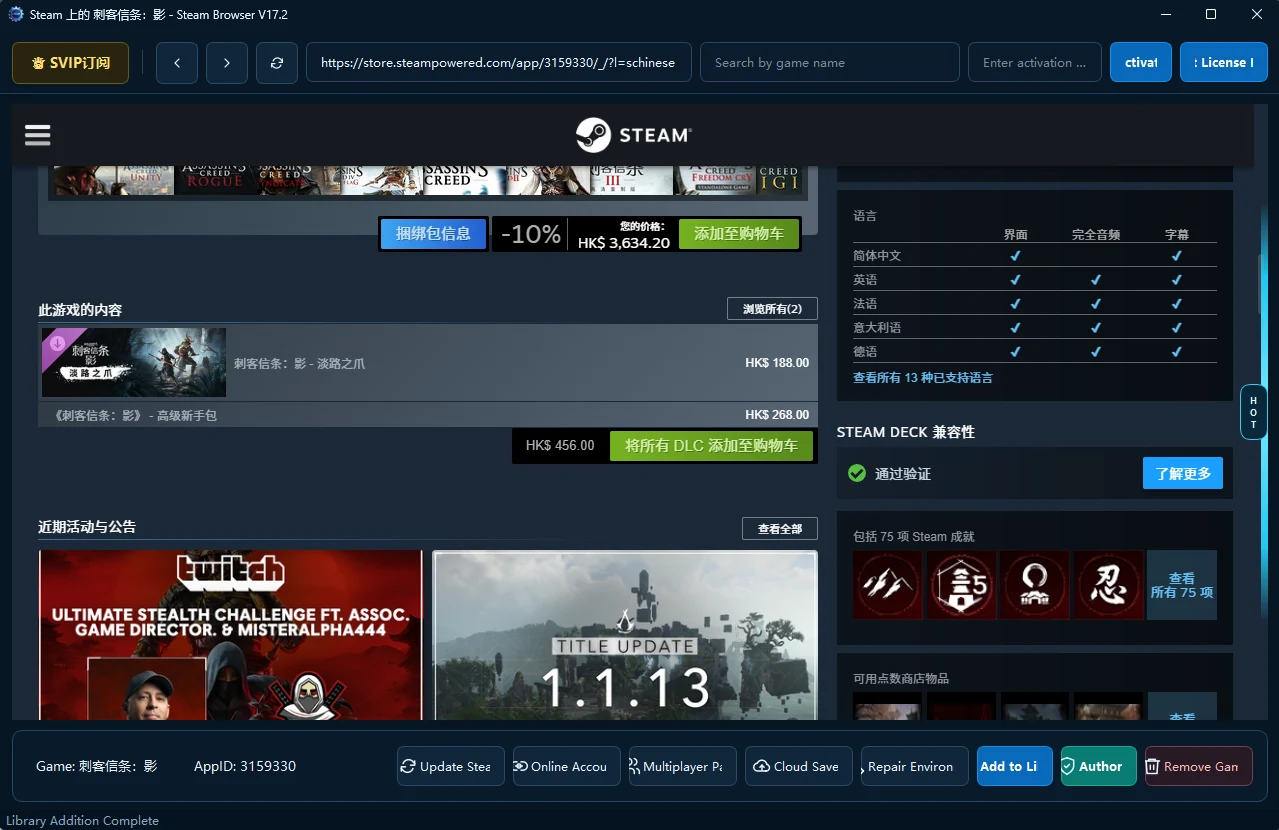
Earlier client interface; labels and layout may differ in the current release.
ONE COMPANION
Search supported titles by English name, Chinese name, or Steam AppID.
Activate your code, check your subscription, and follow supported setup and authorization steps.
Access available multiplayer patches, cloud saves, and repair tools for supported games.
Features depend on the game, your subscription, and service availability; downloading the app does not grant game ownership.
QUICK START
Install the Windows app and sign in to Steam.
Enter your activation code and check your subscription.
Find a supported game and follow the setup prompts.
STAY CONNECTED
For product questions and support, contact gamesharp2k on Discord.

A partner program is being planned for referral rewards and reseller pricing.
Registration, rewards, and checkout are not open yet; final terms will be published before launch.
Before you get startedNo; steam_sharp is a companion tool, not a game purchase, and should only be used with games and accounts you are authorized to access.
Online checkout is not available yet; existing customers can use their activation code in the desktop app.
This release is not digitally signed; obtain it from a trusted source, verify its SHA-256 checksum, and keep the included _internal folder with the program.
Download checksum
Start with the quick guide or contact gamesharp2k on Discord; never share activation codes or passwords in public channels.
中文使用说明